
Does Alexa feel slower than it used to? Or does it keep missing you when you call it? Here’s what actually helped.
I rewrote this guide in October 2026 after timing how fast my Echo Dot (5th gen) and Echo Dot (3rd gen) answer, here in Japan. The app screenshots are in Japanese, so I’ve added English for every label.
💡 Quick answer
・Both of my Echo Dots answered in about 1.1–1.2 seconds
・After a restart (unplug for 30 seconds), both got a little faster
・If Alexa feels slow, check in this order: restart → software update → Wi-Fi → placement
1. How fast is Alexa, really? I timed it
I asked アレクサ、今何時? (Arekusa, ima nanji?) (“Alexa, what time is it?”) five times on each model and timed the gap between the end of my question and the start of the reply. Both were on the same 2.4GHz Wi-Fi network.
| Setup | 5th gen (average) | 3rd gen (average) |
|---|---|---|
| 1 m away | 1.22 s | 1.23 s |
| 5 m away | 1.14 s | 1.18 s |
| After a restart (1 m) | 1.08 s | 1.10 s |
There was almost no difference between the two models, and talking from 5 m away didn’t slow things down.
💡 I timed these by hand with a phone stopwatch, so treat them as rough numbers. A 0.1-second gap could just be my thumb.
💡 Alexa on an Echo set up in Japan understands Japanese, and in my testing the wake word worked best pronounced the Japanese way: “Arekusa.”
2. Restart it (the easiest fix)
Amazon’s help pages suggest unplugging the power adapter, waiting 30 seconds, and plugging it back in.
- Unplug your Echo Dot’s power adapter
- Wait 30 seconds
- Plug it back in
- When the cyan-and-blue spin finishes and the light goes off, you’re done
After a restart, my 5th gen went from 1.22 s to 1.08 s, and my 3rd gen from 1.23 s to 1.10 s. Not a huge jump, but if Alexa has felt sluggish lately, it’s worth trying first.
💡 My 5th gen also got a software update before the restart. The 3rd gen didn’t need one and still got faster, so the restart alone seems to help.
Curious what each light color means during a restart? See Echo Dot Orange Light Won’t Go Away (or Won’t Turn On)?.
3. Check for a software update
Amazon’s help pages say you can just ask: アレクサ、ソフトのアップデートを確認して (Arekusa, sofuto no appudēto o kakunin shite) (“Alexa, check for software updates”). I tried it on both models.
| Model | What Alexa said |
|---|---|
| 5th gen | “There’s an update for this device. It takes about 30 minutes to install, and I can’t talk with you during that time. Start now?” |
| 3rd gen | “This device’s software is up to date.” |
When I said yes on the 5th gen, the update started, and the light changed like this:
- Orange, flashing
- Cyan and blue, spinning
- Blue, flashing
- Yellow, flashing (a notification that it’s done)
Then I asked アレクサ、通知を教えて (Arekusa, tsūchi o oshiete) (“Alexa, read my notifications”), and it told me the Echo Dot 5th update was complete.
💡 If you say no, Alexa says it will install the update when the device isn’t being used. No rush, you can let it happen overnight.
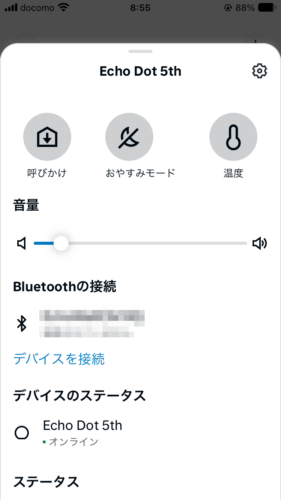
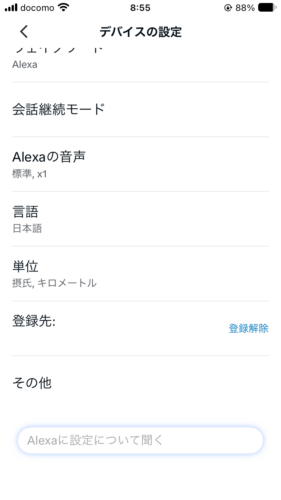
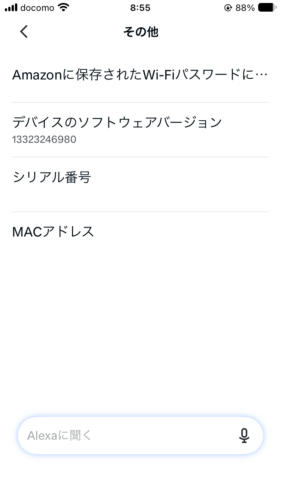
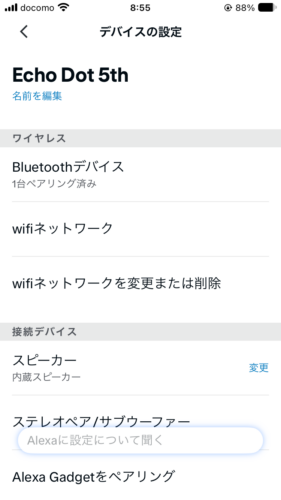
To check the current software version in the Alexa app:
- Open デバイス (Devices) and pick your Echo Dot
- Tap the gear in the top right (Device settings)
- Scroll down and tap その他 (Other)
- Look at デバイスのソフトウェアバージョン (Device software version)
4. Check your Wi-Fi
Alexa processes what you say in the cloud, over the internet. If your Wi-Fi is shaky, replies can lag or cut off.
In the Alexa app, you can see the connection status and a speed test under wifiネットワーク (Wi-Fi network) in the device settings.
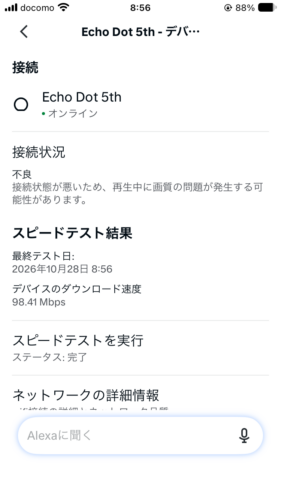
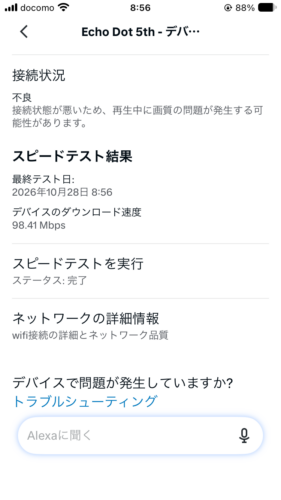
My 5th gen showed a download speed of 98.41 Mbps, yet the status said 不良 (poor). Even so, it answered in about 1.1 seconds. It didn’t feel slow at all.
💡 A “poor” status doesn’t always mean Alexa will be slow. If your music cuts out or replies stop halfway, try reconnecting your Echo Dot to Wi-Fi.
Want a stronger Wi-Fi signal around your home? A mesh router like the eero 6+ is one option: See the Amazon eero 6+ on Amazon Japan
5. Rethink placement and background noise
Amazon recommends keeping your Echo away from walls, speakers and noise, and talking to it from within 2.5 m.
I put my Echo Dots about 20 cm in front of the left side of the TV, turned on a morning variety show, and asked “what time is it?” five times from 3 m away.
| Model | Times Alexa responded |
|---|---|
| 5th gen | 4 out of 5 |
| 3rd gen | 5 out of 5 |
Even right next to the TV, they caught almost every request. If Alexa keeps missing you, try moving it away from the TV or closer to where you usually talk.
💡 Amazon’s help pages suggest asking 私の声が聞こえた? (watashi no koe ga kikoeta?) (“Can you hear me?”) to test. On my Echo Dot, Alexa just said すいません、お役に立てません (suimasen, oyaku ni tatemasen) (“Sorry, I can’t help with that”). A simple question like “what time is it?” is a more reliable check.
6. Set up Voice ID (if you share your Echo)
Voice ID teaches Alexa to recognize your voice. Amazon suggests it when several people use the same Echo, so Alexa can tell everyone apart.
It took me 2–3 minutes: you just read four short phrases out loud.
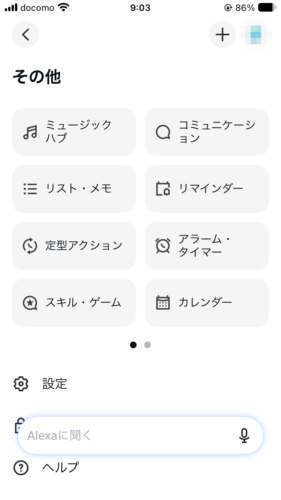
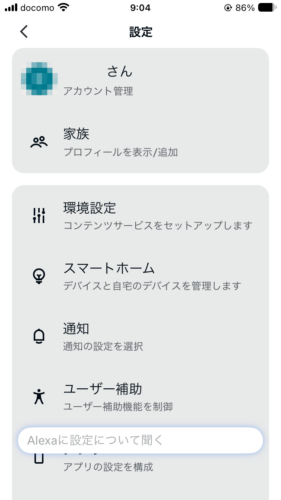
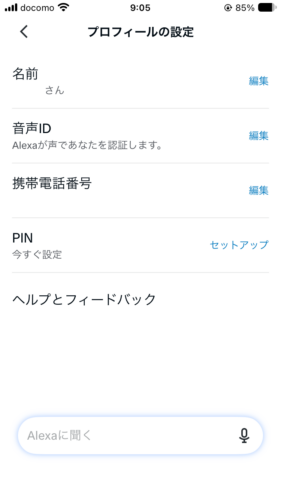
- In the Alexa app, open その他 (More) → 設定 (Settings)
- Tap your account name at the top (アカウント管理, Account management)
- Tap マイプロフィール (My profile), then the gear in the top right
- Next to 音声ID (Voice ID), tap セットアップ (Set up)
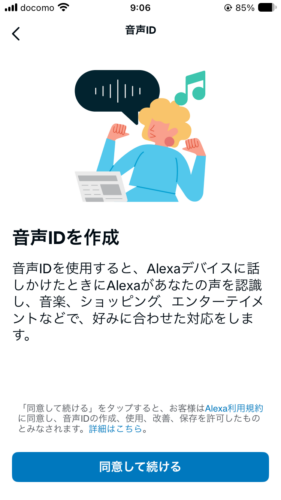
- Tap 同意して続ける (Agree and continue) and read the four phrases on screen
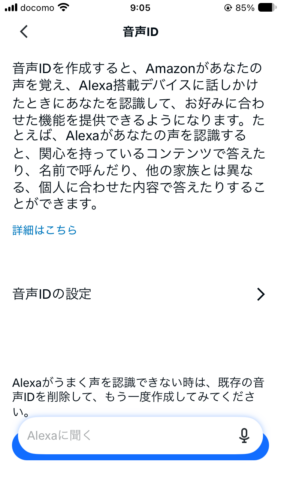
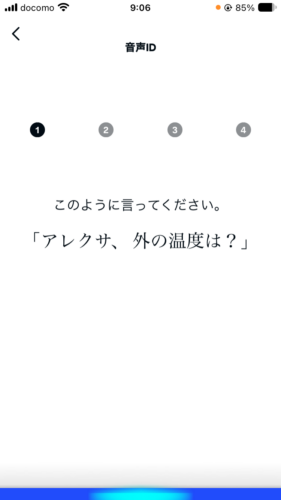
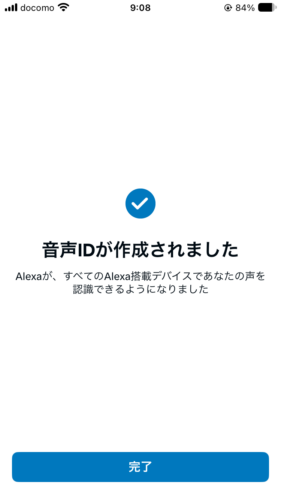
💡 The phrases are in Japanese, like 「アレクサ、外の温度は?」 (Arekusa, soto no ondo wa?). The app also says that if Alexa has trouble recognizing you, you can delete your Voice ID and create it again. Voice ID is about telling voices apart. Amazon doesn’t say it makes Alexa faster.
7. The bottom line
- Both my Echo Dots answered in about 1.1–1.2 seconds
- If Alexa feels slow, unplug it for 30 seconds first (mine got a bit faster)
- Ask アレクサ、ソフトのアップデートを確認して (Arekusa, sofuto no appudēto o kakunin shite) to check for updates
- A “poor” Wi-Fi status doesn’t always mean slow. Reconnect if things cut out
- Keep it away from noise and walls, and talk from within 2.5 m
- Sharing your Echo? Set up Voice ID
Sources: Amazon: Alexa doesn’t understand or respond to your request, Amazon: Update the software on your Echo, Amazon: Check your Echo’s software version (all checked October 2026; Amazon pages are in Japanese)
See the Echo Dot (5th Gen) on Amazon Japan
This article is based on hands-on testing by the author. AI tools such as Claude were used to assist with research and drafting, and the author reviewed the content before publishing.