
Amazon Japan’s shopping AI, Rufus, got a new name on November 12, 2026: Alexa for Shopping (Amazon’s announcement, in Japanese).
Here’s the catch for English speakers: it answers in Japanese unless you switch the Amazon app to English. I tried it in both languages, comparing Echo Dots and checking price history before Black Friday.
💡 Quick answer
・It’s free. No Prime membership needed
・Open it from the Alexa icon at the bottom of the Amazon app
・Want English answers? Switch the app language to English. It shows a “beta” label
・It can compare models and show 30 and 90 day price history
・Answers are AI-generated, so always check the product page
1. What is Alexa for Shopping?
It’s a shopping assistant inside the Amazon app and Amazon.co.jp. It replaces Rufus and is now part of Alexa.
| Details | |
|---|---|
| Cost | Free. No Prime or Echo device needed |
| Who | Anyone signed in to an Amazon Japan account |
| Where | Amazon Shopping app, Amazon.co.jp on PC, mobile browser |
| What it does | Compares products, shows price history, writes buying guides, adds items to cart, tracks orders |
Source: Amazon Japan news, Nov 12, 2026. The announcement doesn’t say it works on Echo devices. It’s an app and web feature.
2. Get English answers: switch the app language
I asked “Compare Echo Dot 5th gen and 6th gen” with the app still in Japanese. The answer came back in Japanese.
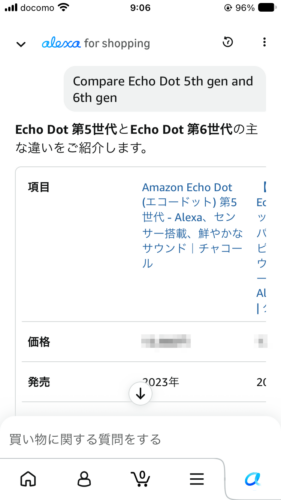
Once, an English question in Japanese mode just returned an error message (it said something went wrong, in Japanese).
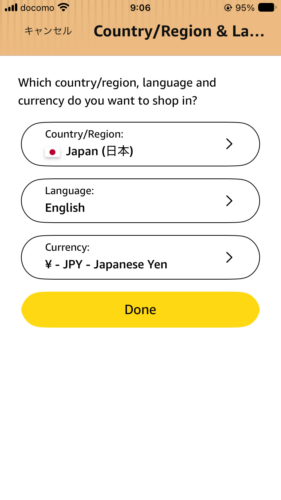
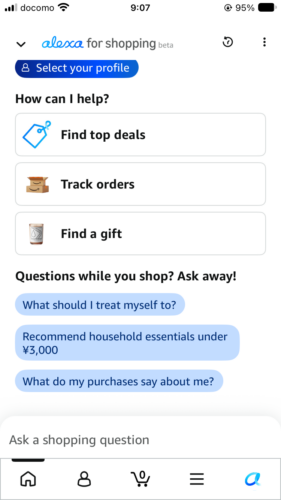
So go to the app’s Country/Region & Language settings and set Language to English. After that, the assistant shows up as “alexa for shopping beta” and replies in English.
3. Test 1: Echo Dot 5th gen vs 6th gen
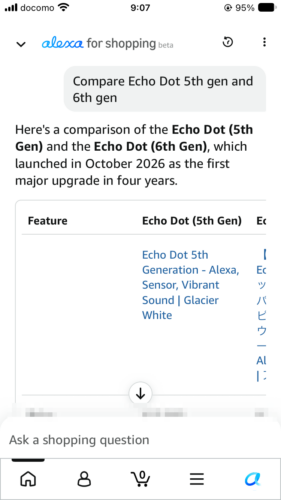
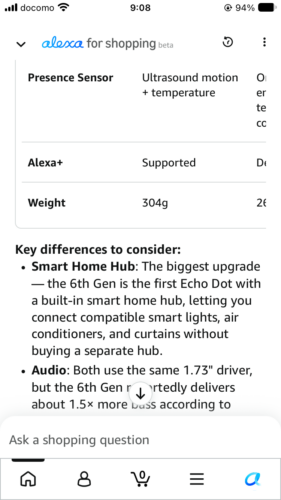
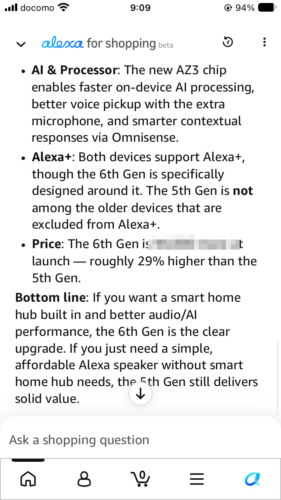
It pointed out the big ones: the 6th gen has a built-in smart home hub, the new AZ3 chip, and about 1.5x more bass. Then a clear “Bottom line”: get the 6th gen for smart home, the 5th gen if you just want a simple speaker.
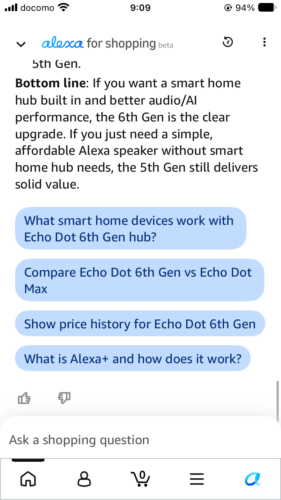
💡 Prices are masked in my screenshots because they change daily. Check Echo Dot (5th gen) and Echo Dot (6th gen) on Amazon Japan.
4. Test 2: price history before Black Friday
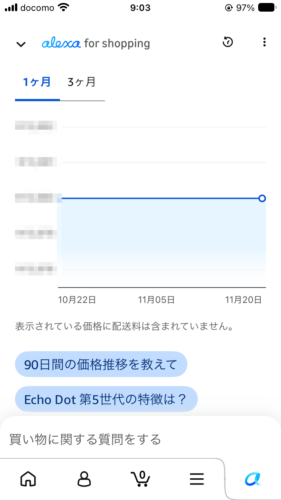
On a product page, ask “Show price history”. You get a graph you can switch between 1 month and 3 months.
💡 Early Black Friday deals start November 27. See my Black Friday Echo guide.
5. More things I tried (in Japanese mode)
- Echo Dot Max vs Echo Studio: “who should get which” answers. It also mentioned pairing two Echo Dot Max units for stereo (same model only, per Amazon help, in Japanese)
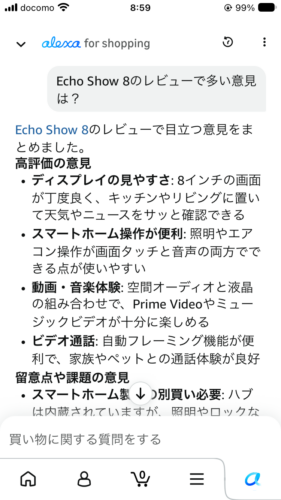
- Review summary: asked what people say about the Echo Show 8. It split the reviews into pros and things to watch
- “What are my preferences?”: it listed what it learned from my orders. You can edit or delete them in the chat
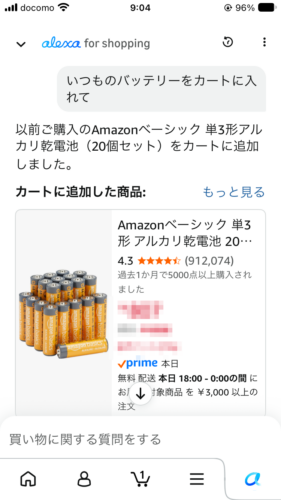
- “Add my usual batteries to the cart”: it found the batteries I buy and put them in my cart. Still check the item and quantity before you order
6. Tip: ask by voice
Typing long questions is a pain. Good news: the mic button on your phone keyboard works here on both iPhone and Android.
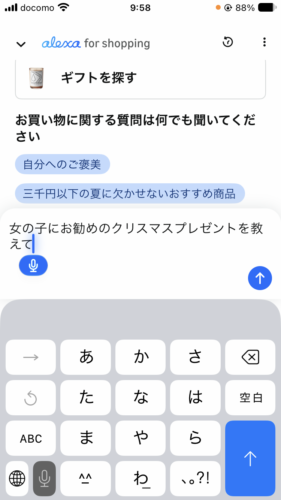
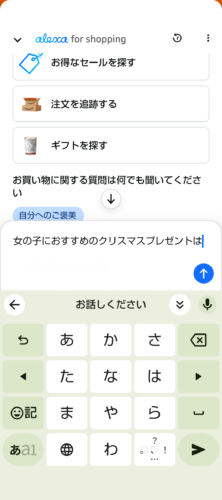
I tried an iPhone SE (3rd gen, iOS 27.2) with the standard keyboard and an AQUOS sense6 (Android 13) with Gboard. Both worked fine. If you don’t see the mic on iPhone, turn on Enable Dictation under Settings > General > Keyboard (Apple Support).
7. What happens if you ask your Echo?
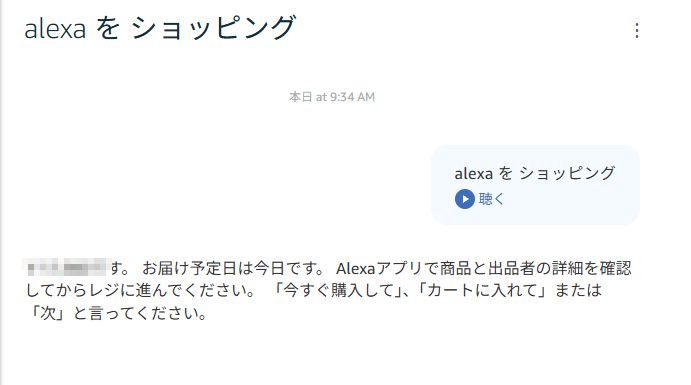
I said “Alexa, Alexa for Shopping” to my Echo Dot (5th gen). It heard “shopping” and started a regular voice shopping suggestion. The Alexa for Shopping chat doesn’t open on Echo.
8. Things to keep in mind
- AI answers can be wrong. The app says so right on the screen
- Prices in tables are a snapshot. Check the product page before buying
- English is beta. Expect some rough edges
- Not on Echo devices. Asking your Echo starts regular voice shopping. Alexa+ on your Echo is a separate thing (Alexa+ compatible devices)
9. Wrap-up
| Try asking | For |
|---|---|
| Compare Echo Dot 5th gen and 6th gen | Model comparison |
| Show price history | Price trends |
| What do reviews say about Echo Show 8? | Review summary |
| Add my usual batteries to the cart | Reorders |
For English speakers in Japan, the one setting that matters is the app language. Switch it to English and Alexa for Shopping becomes a handy research tool before Black Friday!
Sources: Amazon Japan news: Alexa for Shopping, Amazon.co.jp help: stereo pairs (checked November 20, 2026). Tested on November 20, 2026 with the Amazon app on iPhone SE (3rd gen, iOS 27.2) and Android (AQUOS sense6, Android 13), Amazon.co.jp on PC, and an Echo Dot (5th gen).